To add a new mobile device to the database begin by clicking on the 'Add Device' sub menu link under the Mobile Devices menu in the navigation menu.
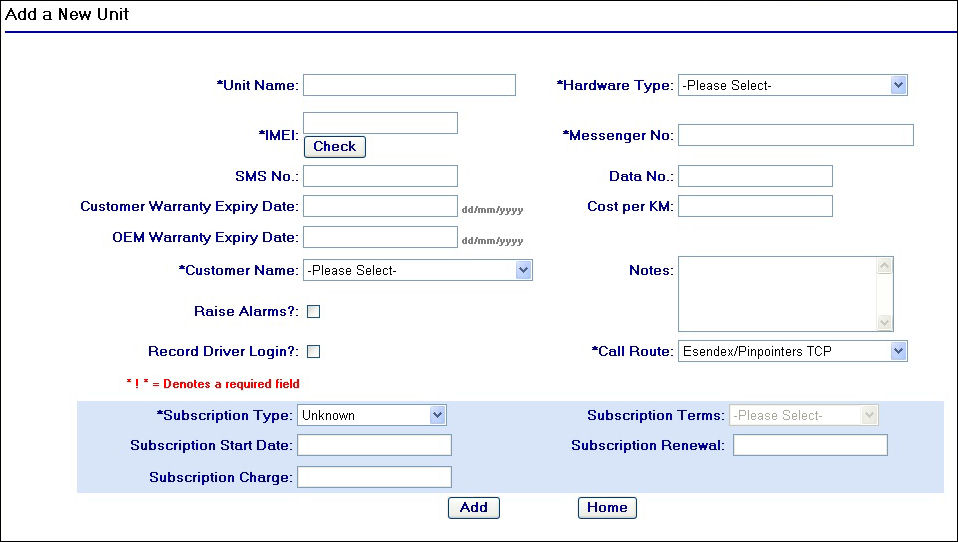
Add a New Unit Page
Proceed by entering in details into the fields provided on the page, for more details about what the fields mean and examples of what to enter read the sub topic 'Mobile Device Fields' on the next page.
After you have completed the required fields for the new device record, click on the  button to complete the action.
A confirmation page will appear as displayed below to show that you have successfully added a new user to the system:

Add device confirmation page
Attempting to add a device with the same IMEI that already exists
If you try to add a device with an IMEI that already exists on the system, you will be navigated to a an error page as shown below:

Add device error page
Clicking on the  button will return you to the previous screen where you can then amend the fields for the new device record you have just tried to add.