Throughout the use of the extranet, you may find there are occasions where you enter incorrect data into fields, or indeed miss out required fields when trying to perform certain actions.
For example you may try to add a new user, but forget to enter in a login name. The extranet will warn you of field errors using a  next to the login name field.
You may also come across other forms of validation, such as pop up boxes warning of an action that needs to be taken before you can complete your task. For example if you try to add a customer without choosing any applications they can login to you will receive the following message:
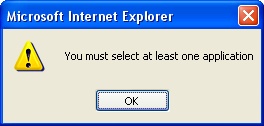
Warning Pop Up Box