The Login Page
To login simply enter in your username and password in the Login prompt as shown below and click the Log In button.
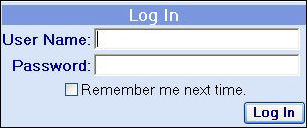
Log In Screen
Logging Out
As you will see in the home page image on the next page of this help file, there is a ‘Log Out’ link on the right hand side of the top banner. Clicking this link will end your login session and redirect you to the login page as described in the section above.
During periods of inactivity, the period of which is specified in a configuration file controlled by the site administrator, the site will automatically redirect you to the main login page if you attempt to navigate to another page on the extranet site.