When clicking on the 'Add Customer' link in the navigation menu, the following screen will be displayed:
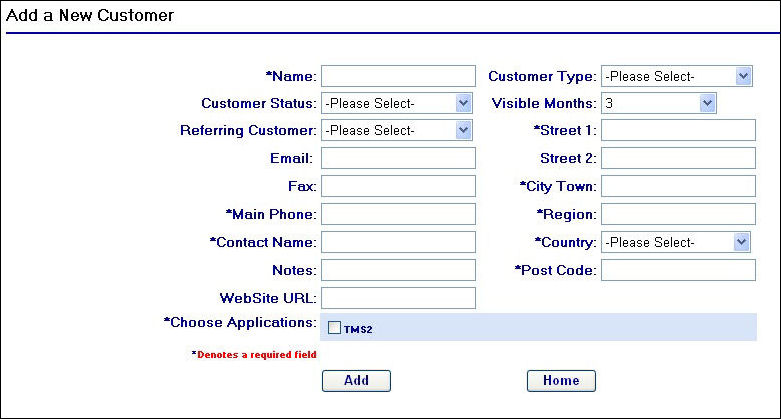
Add a new Customer
Simply fill in the relevant fields for the customer you wish to add and then click the  button to save these details in the database. For assistance on what should be entered into these fields see the Customer Fields sub topic on the next page.
Should you try to add a customer that already exists in the database you will be presented with the following screen after clicking the button:

Customer already exists
To return to the previous screen and amend the customer details you have entered, simply click on the  button.