To add a new depot to a particular customer click on the 'Add Depot' sub menu link under the Depots menu.
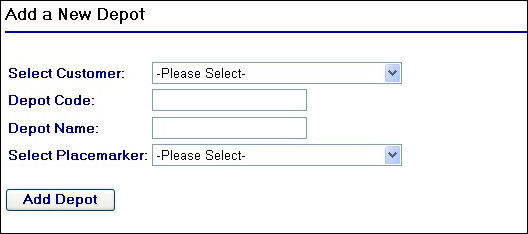
Add a New Depot page
Begin by selecting the customer that you wish to add the depot for. You will notice that when selecting the customer, the screen will refresh in the background. The reason for this is that the extranet is populating a list of placemarkers stored on the system for that customer in the 'Select Placemarker' drop down list. For example selecting the customer Antalis produces a screen like so:
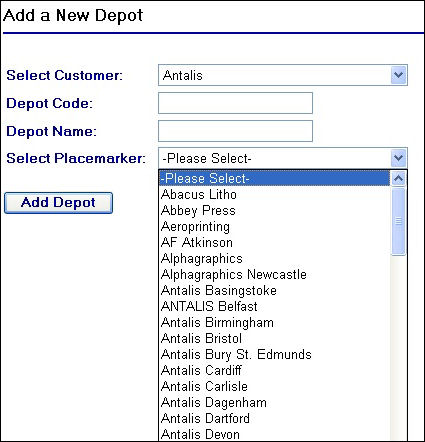
Selecting a customer with placemarkers stored against them
Before selecting a placemarker, you will need to assign a depot code to the Depot Code field, for example if adding a new depot for Antalis called 'Antalis London' the depot code could be 'CL'. The Depot Code field has a maximum length of 10 characters.
After assigning a code enter in the full name of the depot, for example 'Antalis London'.
Once you have assigned a depot code and named the new depot, you will then need to select a placemarker from the 'Select Placemarker' drop down field. For a depot to be successfully added to the system, an associated placemarker is required. If no placemarker is present at the location where the depot is then one will need to be created for the customer in the web application.
To complete the action, click on the  button. After doing so a confirmation message will appear on the screen as displayed in the screen shot below:
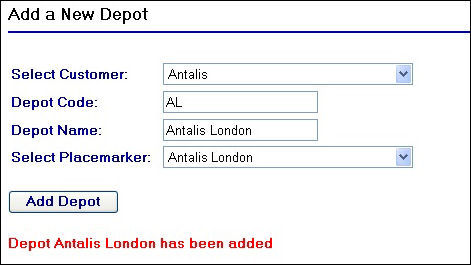
Confirmation of depot being added to the system
If at you try to use a depot code that already exists for a customer with another depot already added to their account you will receive the following error:
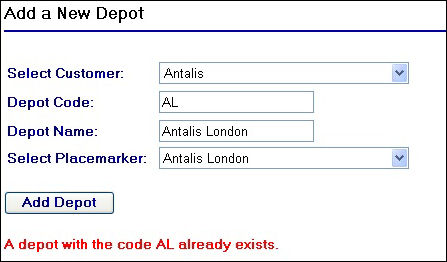
Depot Code Already Exists Error Message