After adding a user to the system, you will need to ensure they have the correct permissions assigned for the features they need to use on the system.
The 'Permissions' sub menu provides the following functionality:
To access the permission management functions simply expand the 'Permissions' sub menu by clicking the  button, this reveals the sub menu items within the Permissions sub menu as shown in the image below:
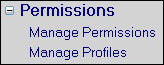
Permissions Menu Expanded