As customer accounts begin to increase in size in terms of the number of user accounts and mobile devices added on the system, the maintenance of user's tracking lists is likely to become a cumbersome task.
To simplify the management of a large number of users and devices on the system for a given customer, the use of depots may be a more suitable option as is the case with the customer Antalis.
Depots are essentially vehicle groups created on the system (see Add Depot page later on in this topic) which will contain a list of vehicles belonging to that depot. The assignment of vehicles to a particular depot are managed in the Unit Depots page of the extranet.
As well as vehicles being assigned to a depot, users can be assigned to one or many depots, this is managed in the User Depots page of the extranet.
For any user(s) that you wish to use depots in conjunction with, you will also need to ensure the 'Tracking list managed from depots' and 'Unit groups derived from depot names' checkbox fields are checked in the user(s) record on the extranet.
This will mean that the user(s) tracking list is managed from the depots they are assigned to, that is they will only be able to see units belonging to the depots that are assigned to the user. Also any vehicle groups in the user(s) account will be derived from the names of the depots that are assigned to the user. If the user creates their own depots manually, these are likely to be removed when ever the tracking list for the user is updated in the extranet due to the 'Unit groups derived from depot names' checkbox being enforced.
The 'Depots' sub menu provides the following functionality:
To access these user functions simply expand the 'Depots' sub menu by clicking the  button, this reveals the sub menu items within the Depots sub menu as shown in the image below:
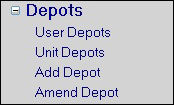
Depots Menu Expanded